
Technical SEO Consultant in Dubai Who Fixes What Quietly Caps Your Growth
I'm Raaquib Pathan, a technical SEO consultant in Dubai. I find the crawl, indexation, speed and migration problems that stop good pages from ranking, then turn them into tickets your developers can ship. I work on WordPress, Shopify, Webflow and headless builds, and I moved my own site from WordPress to Next.js.
- 9x
- Manufacturing organic growth
- +100%
- UAE university organic traffic
- 7+
- Years in SEO
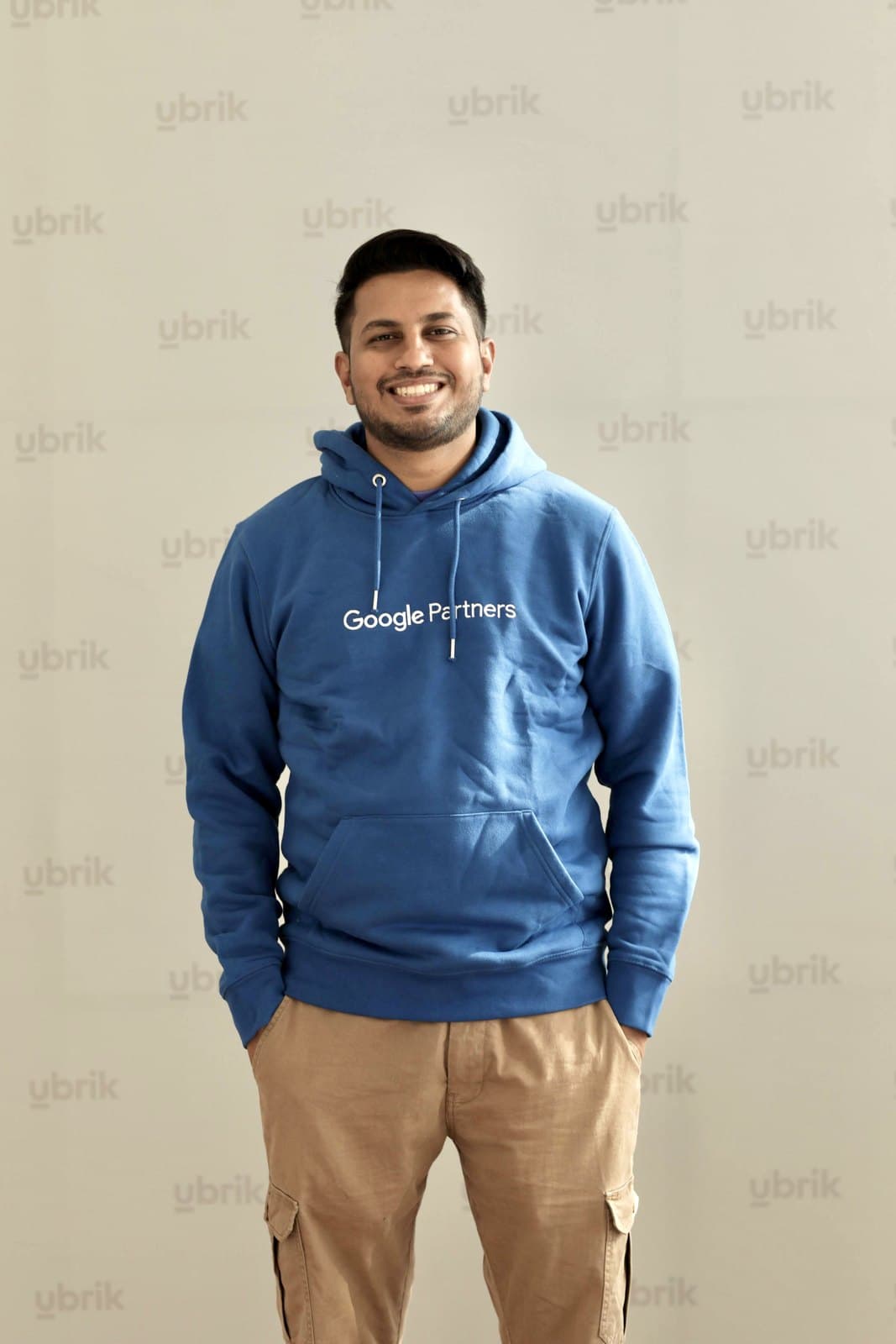
Raaquib Pathan
SEO & AI Search Consultant · Google Certified
What does a technical SEO consultant do?
A technical SEO consultant makes sure search engines and AI crawlers can find, render and index a website, then fixes whatever blocks them. The work covers crawlability, indexation, JavaScript rendering, Core Web Vitals, site architecture, structured data, hreflang and migrations, and it ends in a prioritised list of fixes developers can act on.
By Raaquib Pathan · Updated
Key facts
- Raaquib Pathan has worked in SEO since 2019, across agency, in-house SaaS and independent roles.
- A global manufacturer's Ahrefs site health rose from 62 to 91 alongside 9x organic growth.
- A UAE government university's site health went from 32 to 86 as organic traffic doubled.
- Works on WordPress, Shopify, Webflow, Next.js and other headless platforms.
Brands and institutions I have worked with








When do you need a technical SEO consultant in Dubai?
Technical SEO for Dubai businesses pays off when good content isn't ranking because search engines can't crawl, render or index it properly, or when a redesign or replatform puts existing rankings at risk. It is less useful when the real gap is thin content or weak authority, which no audit fixes alone.
A good fit if
- Key pages are missing from Google, or Search Console shows thousands of URLs crawled but not indexed.
- A redesign, replatform or domain change is coming and rankings must survive it.
- Your site runs on a JavaScript framework and nobody knows what crawlers actually see.
- You serve English and Arabic, or several GCC markets, and the wrong version ranks.
- Core Web Vitals fail on mobile and developers need to know which fixes matter most.
Not a fit if
- Your site has a dozen pages and no indexing problems. A lighter SEO review is enough.
- The real gap is content or links. Technical fixes won't make thin pages rank.
- No developer can make changes for months. An unused audit helps nobody.
What does a technical SEO audit check?
A technical SEO audit from me covers twelve areas, from robots.txt and canonicals to JavaScript rendering, hreflang and access for AI crawlers. Each row shows what I check, a typical problem in that area and what the problem costs if it stays unfixed, so you can see where the effort goes before we start.
| Area | What I check | Typical issue | Impact if unfixed |
|---|---|---|---|
| Crawlability and robots.txt | What I checkRobots rules, crawl paths and server errors | Typical issueA staging-era Disallow rule left on live sections | Impact if unfixedWhole sections drop out of search |
| Indexation and canonicals | What I checkIndex coverage, canonicals, noindex and duplicates | Typical issueCanonicals pointing at redirects or the wrong version | Impact if unfixedGoogle ranks a different page, or none |
| JavaScript rendering | What I checkRaw HTML against rendered HTML | Typical issueKey copy and links exist only after scripts run | Impact if unfixedSlow indexing; invisible to AI crawlers |
| Core Web Vitals | What I checkLCP, INP and CLS by template, from field data | Typical issueOversized hero images and render-blocking scripts | Impact if unfixedSlower pages and lost conversions |
| Architecture and internal links | What I checkClick depth, orphan pages and anchor text | Typical issueMoney pages buried four or more clicks deep | Impact if unfixedAuthority never reaches the pages that sell |
| Faceted navigation | What I checkFilter, sort and parameter URLs | Typical issueThousands of filter combinations open to crawling | Impact if unfixedCrawling wasted on near-duplicates |
| Hreflang (EN/AR and GCC) | What I checkReturn links, codes and x-default | Typical issueArabic pages missing the return tag to English | Impact if unfixedThe wrong language ranks in the wrong market |
| Structured data | What I checkSchema types and match with visible content | Typical issueMarkup that doesn't match what the page shows | Impact if unfixedLost rich results and muddled entity signals |
| XML sitemaps | What I checkCoverage, status codes and lastmod | Typical issueSitemaps full of redirected or noindexed URLs | Impact if unfixedMixed signals about which URLs matter |
| Log-file analysis | What I checkWhat Googlebot and AI bots request | Typical issueBots spending most hits on parameters or old URLs | Impact if unfixedKey pages crawled rarely, updates seen late |
| Redirects and migrations | What I checkChains, loops and legacy URL maps | Typical issueThree-hop chains left by past redesigns | Impact if unfixedDiluted signals and slower crawling |
| AI crawler access | What I checkRules for GPTBot, OAI-SearchBot, Google-Extended, PerplexityBot, ClaudeBot; llms.txt | Typical issueA blanket bot block copied from a security plugin | Impact if unfixedThe brand is missing from ChatGPT and Perplexity answers |
How are technical SEO fixes prioritised?
Technical SEO findings from my audits become a backlog, not a report. Each issue is scored for impact and effort, then written as a ticket with the affected URLs, the fix and a way to test it, so developers can pick it up in the next sprint. The three rows below are an example, not client data.
Example
| Issue | Impact | Effort | Priority | Developer ticket |
|---|---|---|---|---|
| Product filter URLs crawlable and indexable | Impact5/5 | Effort2/5 | PriorityDo first | Developer ticketCanonical filters to their category, block sort parameters, drop them from the sitemap. Test: URL Inspection on 20 URLs. |
| Hero image delays mobile LCP on service templates | Impact4/5 | Effort1/5 | PriorityDo first | Developer ticketServe the hero at display size in AVIF, preload it, remove lazy loading. Test: LCP under 2.5 seconds. |
| Arabic pages missing hreflang return links | Impact3/5 | Effort3/5 | PriorityNext sprint | Developer ticketAdd reciprocal en-AE and ar-AE tags plus x-default. Test: no return-tag errors in a crawl. |
Example data for illustration. Real scores depend on your traffic, templates and release cycle.
How do you protect rankings during a site migration?
A site migration keeps its rankings when every old URL has a planned destination, redirects are tested before launch and the weeks after go-live are watched closely. This is the checklist I work through with development teams, split into what happens before, on and after launch day.
Before launch
- Export every old URL with traffic, links or rankings
- Map each one to its closest new page, not the homepage
- Benchmark rankings and conversions by template
- Check staging for noindex, robots blocks and missing content
Launch day
- Push server-side 301s and test the top URLs by hand
- Remove staging blocks and confirm the live robots.txt
- Submit the new sitemap and, for a new domain, Change of Address
- Check canonicals, hreflang and schema on each template
After launch
- Watch indexing and crawl stats closely for weeks
- Fix 404s from the old URL list as they appear
- Compare rankings and conversions with the benchmark
- Keep redirects for at least a year, as Google advises
Which platforms do you work on?
I work on any platform that serves pages to a crawler: WordPress, Shopify, Webflow, Next.js and other headless builds, and custom stacks. Each platform has predictable weak spots, so an audit starts with the ones your platform is known for and then moves on to the problems specific to your site.
WordPress
Plugin bloat, thin tag archives and SEO plugins fighting over canonicals.
Shopify
Fixed /collections/ paths, duplicate product URLs and slow app scripts.
Webflow
Thin CMS templates, image weight and localisation on bilingual sites.
Next.js and headless
Rendering choices, route metadata and generated sitemaps.
My own migration: WordPress to Next.js
I moved raaquib.com from WordPress to Next.js on Vercel. Every page is now pre-rendered HTML, the sitemap and llms.txt are generated from the same content files as the pages, and pages score 100 for SEO in Lighthouse.
How I run a technical SEO engagement
A technical SEO engagement with me starts with access and a baseline, and ends with fixes verified in Search Console. Developers get tickets, not a 90-page PDF, and I stay involved until the high-impact items are live and tested. Most of the value sits in that follow-through, not in the audit document itself.
Access and baseline
I get Search Console, analytics, logs where available and CMS access, then record indexation, rankings and Core Web Vitals.
You get: a baseline to measure every fix against.
Crawl and render
The site is crawled as raw HTML and as a rendering browser, then the two are compared.
You get: a list of content and links crawlers can't see.
Audit the twelve areas
Every area in the coverage table is checked and tied to the templates it affects.
You get: findings grouped by template, not by tool warning.
Score and write tickets
Issues are scored for impact and effort and written up with the fix and a test.
You get: a prioritised backlog your developers can import.
Fix alongside your developers
I join sprint planning where useful and answer questions while fixes are built.
You get: high-impact fixes shipped, not parked.
Verify and monitor
Fixes are checked in Search Console, crawls and field data; regressions are flagged.
You get: a before-and-after record of what each fix changed.
Technical SEO in the age of AI search
Technical SEO now decides whether AI assistants can read a site at all. The major AI crawlers fetch raw HTML without running JavaScript, and a robots.txt copied from a security plugin can block them outright. AI visibility starts at this layer, before any content or authority work has a chance to pay off.
Prompts buyers type into AI assistants
- Why isn't my website showing up in ChatGPT?
- Should I block GPTBot in robots.txt?
- Does Google render JavaScript for SEO?
- How do I move off WordPress without losing rankings?
- Best technical SEO consultant in Dubai
Raw HTML first
Vercel's study of AI crawler traffic found none of the major AI crawlers render JavaScript. Pre-rendering keeps content visible to them.
Know which bots you block
GPTBot and Google-Extended govern training use, while OAI-SearchBot and PerplexityBot fetch pages for search answers. Blocking the wrong one removes you from AI answers.
Schema that matches the page
Structured data that mirrors the visible content makes your brand and services unambiguous to Google.
Logs show AI bot behaviour
Server logs show whether GPTBot, ClaudeBot and PerplexityBot visit, what they request and whether they hit errors.
Technical SEO in the case studies
Technical work sits behind two of my largest documented results. A global manufacturer grew organic traffic from 5K to 45K while its Ahrefs site health rose from 62 to 91 and Core Web Vitals improved. A UAE government university doubled organic traffic as its site health went from 32 to 86.
Both results combined technical fixes with content and links, as the case studies explain. Site health figures are Ahrefs audit scores.
5K → 45K
Organic traffic, 9x growth
2x conversions year over year
Global manufacturing brand, multi-region
Read the manufacturing case study+100%
Organic traffic growth
8K → 16K+ monthly visits · 3x conversions
Government university in the UAE, within 12 months
Read the UAE university case studyWhat you get and how we can work together
A technical SEO engagement delivers a scored backlog, developer tickets and verified fixes, not a list of crawler warnings. You can book a one-off technical audit, bring me in to protect a migration, or keep me on a monthly retainer that catches problems before they cost you rankings.
| Deliverable | What it includes |
|---|---|
| Technical audit | What it includesThe twelve-area review, mapped to templates and URLs. |
| Scored issue backlog | What it includesEvery issue rated for impact and effort, in a recommended order. |
| Developer tickets | What it includesEach fix written with affected URLs, acceptance criteria and a test. |
| Core Web Vitals plan | What it includesTemplate-level fixes for LCP, INP and CLS. |
| Redirect map and launch checklist | What it includesOld-to-new URL mapping and launch-day checks. |
| Verification report | What it includesBefore-and-after evidence for each shipped fix. |
Ways to work together
Technical SEO audit
A one-off audit and scored backlog, with a walkthrough call for your developers.
Typically 3–4 weeks
Migration support
Planning, redirect mapping, launch-day checks and post-launch monitoring for a redesign or replatform.
Planned around your launch date
Monthly technical retainer
Ongoing monitoring, reviews of new templates and sprint support as the site changes.
Six months minimum recommended
Technical SEO fees depend on site size, platform and how much of the fixing your team takes on, so I quote after a call. Read the SEO cost guide.
Why work with me on technical SEO
Raaquib Pathan approaches technical SEO as a builder as well as an auditor. I rebuilt my own site on Next.js, I have raised site health on university and manufacturing sites, and I write findings for the developers who implement them. That combination shortens the distance between an audit and a better-indexed site.
I have migrated my own site
Moving raaquib.com to Next.js meant real redirect mapping, rendering decisions and generated sitemaps. Your migration gets that experience, not a copied checklist.
Tickets developers pick up
Findings arrive as scoped tickets with URLs and tests, so developers don't have to decode SEO jargon, the usual reason recommendations stall.
Fixes judged by field data
Success means better indexing, crawl stats and real-user Core Web Vitals, not just a higher crawler health score.
More about my background on the about page and in my press coverage and bylines.
What clients and colleagues say
Two recommendations from people I have worked with, both verified on LinkedIn.

We've had the privilege of working with Raaquib for the past 7 years, and he has been leading our SEO team with remarkable dedication. What stands out most about him is his focus on building a strong, sustainable foundation. While his strategies are not about chasing quick wins, the long-term results are tremendous and lasting. Thanks to the solid groundwork he creates, we've seen consistent growth and inbound opportunities that continue to compound over time.

Raaquib knows how to get SEO results for his clients! When I worked with him, he explained in detail the time that it would take to get the results and actually got the results by moving the positions of the keywords to higher ranks. He is good at what he does, no doubt!!!
Technical SEO questions, answered
These are the questions Dubai marketing and development teams ask most before hiring a technical SEO consultant: cost, timelines, tools, reporting, AI crawlers, migrations and bilingual sites. Each answer leads with the short version, and the sources behind the technical claims are listed at the end of the page.
A technical SEO audit costs more for a large ecommerce or bilingual site than for a small brochure site, because the crawl, rendering checks and tickets scale with templates and URLs. I quote after a short call and a first look at your site. My SEO cost guide lists typical UAE ranges if you want a benchmark.
Related: SEO cost guide
A full technical SEO audit typically takes three to four weeks, covering the crawl, rendering checks, log analysis where logs exist and the ticket backlog. Small sites are quicker. The effect of fixes takes longer to show, because Google has to recrawl affected pages, which can take days or weeks.
Use both. A technical SEO consultant decides what to fix and in what order, and your developers build it. Developers know the codebase but rarely have time to study how crawlers treat rendering, canonicals and hreflang. My tickets are written so your team can implement them without a long handover.
I use Google Search Console, Ahrefs Site Audit, PageSpeed Insights, Lighthouse, browser developer tools for rendering checks and your server logs where available. Search Console carries the most weight because it shows what Google has actually crawled and indexed. Crawlers find the problems; Search Console confirms whether the fixes actually worked.
My technical SEO reporting tracks what changed after each fix: indexed pages, crawl errors, real-user Core Web Vitals and clicks for the affected templates. Reports are short and link each result to its ticket and ship date. If a fix didn't move anything, the report says so and proposes the next step.
Only block the AI crawlers you have a clear reason to block. GPTBot and Google-Extended relate to model training, and Google says Google-Extended has no effect on Search. OAI-SearchBot and PerplexityBot fetch pages for search answers, so blocking them can remove your brand from ChatGPT and Perplexity results. Most businesses that want AI visibility should allow the search crawlers.
Yes. Bilingual UAE sites need hreflang tags pointing both ways between the English and Arabic versions, codes such as en-AE and ar-AE, and an x-default. Missing return tags are a common fault, and Google says annotations that don't reciprocate may be ignored, which lets the wrong language rank in each market.
Google's thresholds for a good experience are Largest Contentful Paint within 2.5 seconds, Interaction to Next Paint of 200 milliseconds or less and Cumulative Layout Shift of 0.1 or less, measured at the 75th percentile of real visits. I start with the templates that carry the most organic traffic, because fixing the homepage alone rarely moves site-wide field data.
Sources
- Google Search Central: JavaScript SEO basics (2026)
- Google Search Central: site moves with URL changes (2026)
- Google Search Central: localized versions (hreflang) (2026)
- Google Search Central: Google's common crawlers (Google-Extended) (2026)
- web.dev: Web Vitals thresholds (2024)
- OpenAI: overview of OpenAI crawlers (2026)
- Perplexity: Perplexity crawlers (2026)
- Anthropic: web crawlers and robots.txt (2026)
- Vercel: The rise of the AI crawler (2024)
- llms.txt proposal (2024)
Find out what's holding your site back in search
Book a free strategy call. I'll look at your indexation, rendering and Core Web Vitals, and tell you which fixes would move rankings first.